
Cohort 6
Automation With AI
Transform Daily Tasks into Automated Workflows
Save 5–10 hours a week without writing a single line of code.
A six-week, live, hands-on program designed to help you automate repetitive work, master industry tools, and accelerate your career.
PKR 30,000
- Online
- 6 Weeks
- 22nd December
- 7:00 PM - 9:00 PM (Monday, Tuesday & Thursday)
STANDARD
-
For 6 weeks
- Prerequisites
- Basic computer literacy (files, emails, spreadsheets)
- Windows System for Power Automate
Our AI Automation Bootcamp is designed to help you break free from manual tasks and step into the future of work. In just 12 live sessions, you’ll master practical, hands-on skills to design, build, and deploy automations using the world’s leading no-code tools.
Work Smarter, Save Time: Master AI Automation in 6 Weeks
– Still wasting hours on repetitive tasks?
– Confused by endless tutorials that don’t work?
– Want to earn as a freelancer but don’t know where to start?
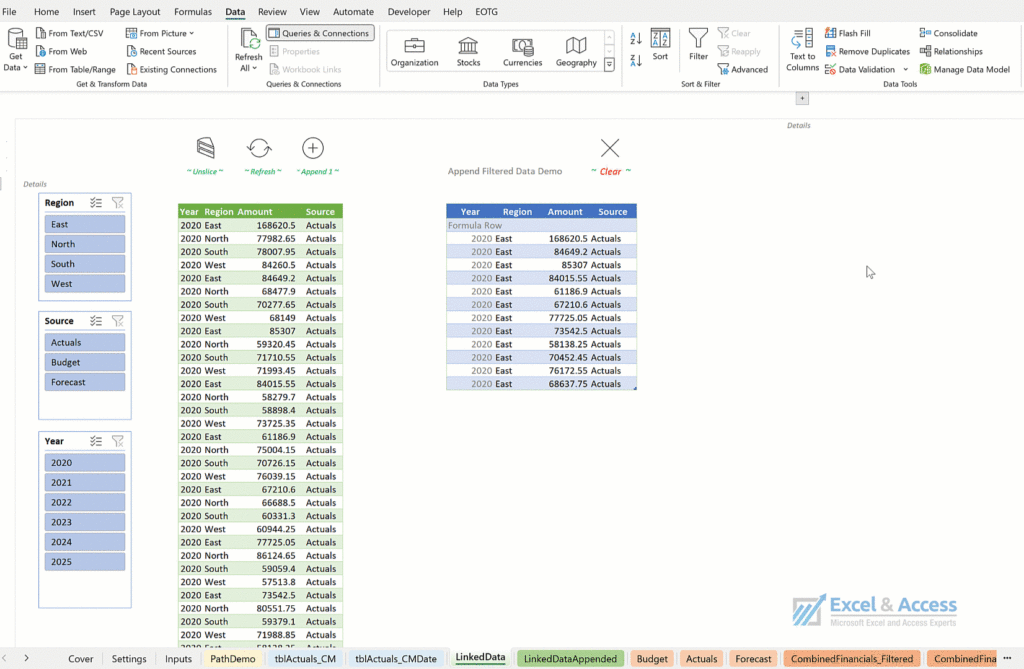
This Bootcamp Is Built to Solve Exactly These Problems
Every professional knows the pain of repetitive work. Hours slip away copying data from spreadsheets, sending the same emails, switching endlessly between browser tabs, and filling out forms over and over again.
These tasks:
– Drain your time and energy
– Create room for human error
– Prevents you from focusing on high-value work
– Hold back your career growth in a world where efficiency is everything
In today’s market, being stuck in manual workflows doesn’t just waste time – it makes you less competitive.
Are you Ready to Break Free from Repetition?
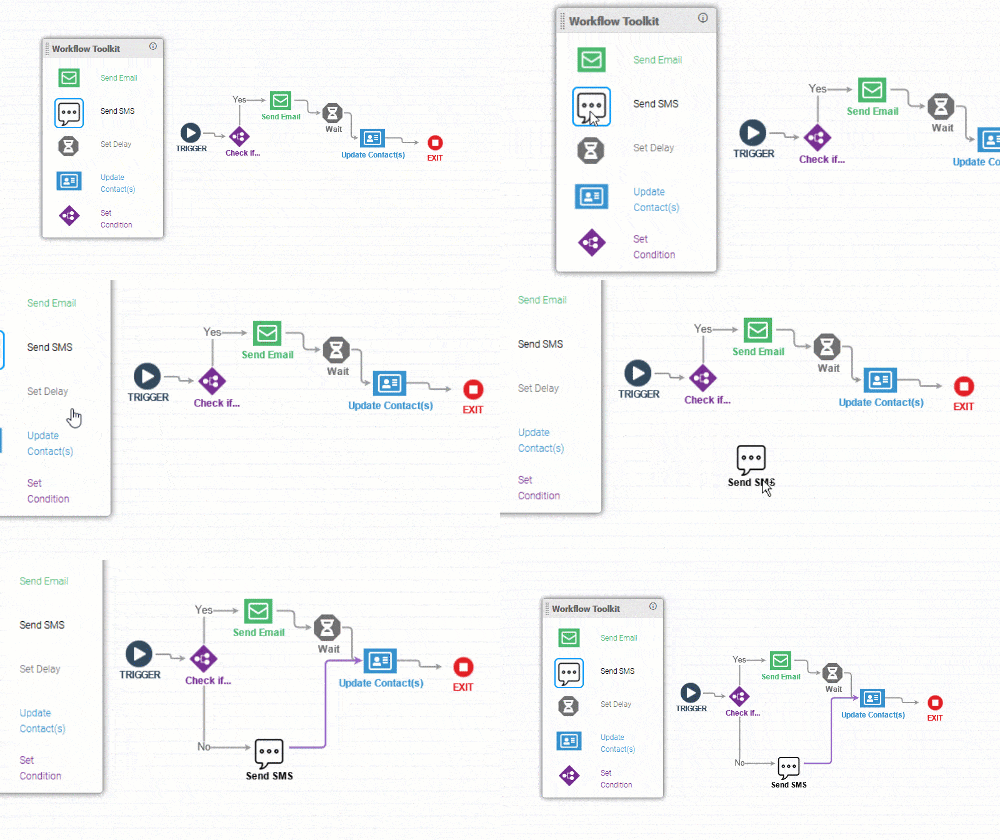
Here’s What You’ll Learn:
- Automate emails, data entry, spreadsheets & web browsing
- Build workflows with no-code tools (n8n, Power Automate, Make.com, ChatGPT)
- Integrate apps so they “talk” to each other
- Spot automation opportunities in your own work or business
- Gain freelancing training to sell automation services online
Curriculum

Focus: Make AI outputs reliable, structured, and grounded in your own data so they can run unattended inside a workflow.
What you'll learn:
- Anatomy of a production prompt: role, task, constraints, and output format
- Forcing clean, structured JON that the next step can use directly
- Few-shot examples, delimiters, and output schemas
- Controlling tone, length, and determinism (temperature and its trade-offs)
- Guardrails: handling refusals, hallucinations, and malformed responses
- Prompt patterns for the five automation verbs: summarize, classify, extract, generate, rank
- Context engineering: giving the AI the right information at the right time — system instructions plus variables and records from earlier steps
- Feeding business data into prompts (order details, customer history, sheet/CRM records) so answers are grounded, not guessed
- Managing the context window: what to include, what to leave out, keeping prompts lean
- Token and cost awareness; choosing the right model for the job
Hands-On: Build reusable prompt templates that classify and extract clean JSON from messy emails and form responses, then feed in live data (customer/order records) so the AI responds accurately in context.
Use Case: A support team auto-tags 100% of inbound tickets and drafts grounded replies using customer records pulled straight from the workflow cutting triage time to near zero.

Focus: End-to-end agentic sales automation with APIs, webhooks, and RAG (upgrades the COD reminder use case).
What you'll learn:
- The n8n AI Agent node: reasoning, tools, and function calling
- Webhooks for real-time lead capture (Shopify/Daraz/custom forms/WhatsApp)
- LLM-based lead qualification and scoring
- RAG over product, pricing, and objection-handling knowledge so replies are accurate
- Personalized multi-channel outreach (WhatsApp/SMS/email) generated per lead
- CRM-style logging and tracking (Google Sheets/Airtable)
- Human-in-the-loop handoff for hot leads
Hands-On: Build an AI Sales Agent that captures a lead via webhook, qualifies it, answers product questions from a knowledge base, sends a personalized follow-up, and logs everything to a CRM.
Use Case: A Daraz seller converts 25% more leads using an agent that qualifies, answers, and follows up automatically based on order history.
Focus: Finance automation, document generation, and intelligent follow-ups (upgrades the invoice/payment bot).
What you'll learn:
- Triggering workflows from Google Sheets / webhook input
- Dynamic document generation (Google Docs / PDF APIs)
- Email automation (Gmail/Outlook APIs)
- RAG over client history (past invoices, payment behavior)
- Tone-adaptive reminders personalized from client patterns
- Payment status logic (paid/unpaid) and conditional reminders
- Deployment options: n8n cloud vs. self-hosted; credentials management
Hands-On: Build a system that generates an invoice PDF, emails the client, waits, checks payment status, and sends an AI-personalized reminder whose tone adapts to client history logging all activity.
Use Case: A freelance designer saves 3+ hours weekly and improves payment recovery with personalized, AI-driven reminders.
Focus: Agentic scheduling and support, plus self-hosting, MCP tooling, and production readiness (upgrades the appointment assistant).
What you'll learn:
- n8n cloud vs. self-hosting: cost, control, and data-privacy trade-offs
- Local / on-prem setup with Docker; cloud/VPS deployment
- AI Agent + RAG over customer history (past visits, preferences)
- MCP (Model Context Protocol): using MCP servers as agent tools, and exposing your own workflows as an MCP server
- Multi-step scheduling: confirmation, reminder, same-day follow-up across channels
- Production best practices: error handling, retries, logging, monitoring, security, rate limiting
Hands-On: Deploy a self-hosted n8n instance, then build a support/appointment agent that uses an MCP tool (look up an order / book a slot) with full error handling and logging.
Use Case: A salon cuts missed appointments by 35% and self-hosts on-prem to keep customer data private and compliant.

Focus: Get started with desktop/on-prem automation and understand where AI fits into RPA.
What you'll learn:
- What RPA is and when to use it vs. API/cloud automation
- Overview of RPA tools: Power Automate Desktop, UiPath, n8n, Make.com
- Recording and building UI-driven desktop flows
- Adding an AI/LLM step for data extraction and classification
- Key benefits: saving time, reducing errors, lowering cost
Hands-On: Build a simple desktop flow and add an AI step that classifies the extracted data.
Use Case: A small business cuts 70% of manual reporting work using RPA combined with an AI extraction step.
Focus: Pull data out of desktop apps that have no API and turn it into ready-to-send reports with an AI summary layer.
What you'll learn:
- Reading data from legacy/desktop apps by controlling the UI (menus, buttons, exports)
- Exporting to Excel and cleaning the data with flow variables and loops
- Scheduling the bot to run automatically (daily/weekly)
- An AI step that reads the numbers and writes a plain-language summary (trends, spikes, dips)
- Emailing the finished report to the right people automatically
Hands-On: Build a bot that opens a desktop app, exports the day's data to Excel, has an AI step, writes a short summary of what changed, and emails the report to management every evening with no manual work.
Use Case: A distributor replaces an hour of nightly manual reporting with a scheduled bot that compiles and emails an AI-written sales summary automatically.
Focus: Extract and organize web data, cleaned and categorized by AI.
What you'll learn:
- Scraping fixed vs. dynamic pages; navigating with UI elements
- Detecting total pages dynamically
- Saving structured data into Excel tabs with clean headings
- AI cleanup: normalizing, deduplicating, and categorizing scraped data
Hands-On: Build a scraper for e-commerce product data, then pass it to an AI step for cleanup and categorization.
Use Case: An analyst scrapes 1,000+ Daraz listings and auto-categorizes them for pricing comparison.

Focus: Master Make.com's core model and connect real business apps.
What you'll learn:
- Scenarios, modules, triggers, and actions the core model
- Using built-in templates and the app library to move fast
- Connecting integrations (Gmail, Sheets, Slack)
- Scheduling: interval, cron-style timing, and instant (webhook) triggers
- Routers and filters for conditional, branching logic
- Data stores for lightweight persistence and lookups
- Mapping and transforming data between modules
Hands-On: Build a multi-app scenario that captures an inbound lead, enriches it, and routes it to the right team channel.
Use Case: A sales team logs all client inquiries automatically, creating a searchable CRM.
Focus: Build resilient, production-grade scenarios.
What you'll learn:
- Webhooks in depth: custom triggers and real-time inbound data
- Iterators and aggregators for processing lists and batching results
- The HTTP module: calling any external or custom API
- Error handling: error routes, retries, rollback, and break/resume
- Scheduling patterns for reliable recurring automations
Hands-On: Build a scenario with a webhook trigger and list processing, with full error handling and retries on failure.
Use Case: A team processes bulk form submissions reliably, automatically retrying any that fail.
Focus: Intelligent, AI-driven scenarios grounded with RAG.
What you'll learn:
- Make.com AI modules and LLM integration
- Connecting a RAG knowledge base to an AI scenario
- Building an AI agent that retrieves and drafts grounded replies
- Combining the AI agent with tools and integrations
Hands-On: Build an AI agent that reads incoming customer messages, retrieves answers from a knowledge base, and drafts grounded replies.
Use Case: A brand answers customer FAQs automatically and accurately from its own knowledge base.

Focus: Automation basics plus built-in AI actions.
What you'll learn:
- Zaps, triggers, actions, and apps; the interface and workflow builder
- AI by Zapier and built-in AI steps
- Capturing, cleaning, and filtering leads with an AI step
- Sign up, setup, and dashboard essentials
Hands-On: Build a Zap that captures, cleans, and routes leads with an AI step, then notifies your team instantly.
Use Case: A team auto-captures and enriches form leads and notifies sales the moment they arrive.
Focus: Multi-step workflows, conditional logic, and Zapier's AI agents.
What you'll learn:
- Multi-step Zaps beyond one trigger and one action
- Filters (if/then conditions) and Paths (branching workflows)
- Formatter to clean and transform data; Delay for time-based automation
- Intro to Zapier Agents / Copilot for AI-driven actions
Hands-On: Automatically qualify and route leads by value using paths, with an AI step scoring each lead.
Use Case: High-priority prospects are instantly assigned to sales with notifications and follow-ups, improving conversion.
Focus: Automate the slow, revenue-critical gap between a customer asking about a product/service and the business sending back a quote.
What you'll learn:
- Designing a multi-step Zap that connects intake, AI, and follow-up into one system
- Triggering from an inbound inquiry (website form, email)
- An AI step that reads the inquiry, identifies what the customer wants, and matches it to your price list/service catalog
- Auto-generating a professional quote or response and sending it back within minutes
- Routing high-value or unclear inquiries to a human with Paths, logging everything to a CRM/Sheet
- Webhooks, error handling, and testing so it runs reliably unattended
Hands-On: Build a Zap where a new inquiry triggers an AI step that extracts the customer's needs, looks up matching prices from a Google Sheet, drafts a tailored quote email, and either sends it automatically or routes it to sales for approval logging each inquiry and quote to a CRM.
Use Case: A service business (agency, supplier, contractor) responds to every inquiry with an accurate quote in minutes instead of hours, capturing leads competitors lose to slow replies.
Professional Development Series
Focus: Position yourself as an AI-automation professional and build visibility.
What you'll learn:
- Building a professional profile for AI/automation roles
- Networking strategies and joining relevant communities
- Content sharing and thought leadership
Hands-On: Optimize your profile and publish a first automation-focused post.
Outcome: A clear, credible profile that attracts clients and recruiters.
Focus: Turn your automation skills into paid work.
What you'll learn:
- Packaging AI automation as a service; choosing platforms
- Finding projects and clients; building a portfolio
- Pricing: value-based vs. hourly
- Client management and expectation setting
Hands-On: Draft a service offer and price your first AI-automation package.
Outcome: Participants convert capstone projects into sellable services.
Results from Our Recent Cohort




Who This Is For
For Office Employees
Office employees looking to eliminate repetitive work
For Professionals and Students
Students and professionals wanting to upskill fast
For Career Changers
Anyone seeking career growth through no-code tools
For Freelancers & Entrepreneurs
Freelancers, entrepreneurs, and side-hustlers
Pricing Plan
Pick a plan that fits your needs and budget.
Standard Monthly
PKR 30,000
Women & Alumni Discount
PKR 25,000
What makes this bootcamp different?
Learn directly from industry experts with real-world automation experience
Twice-weekly live guidance—ask questions, get answers
Soft skills modules: freelancing, networking, career growth
A community of 7000+ professionals and learners to collaborate with
Portfolio-ready automation projects that employers value
Blogs & Resources
AI-Powered Productivity Toolkit for 2024
TL;DR: A list of AI-powered ChatBots and tools for Content Generation, Text Enhancement, Video Generation and Editing, Image Generation, Creating Presentations, Managing …
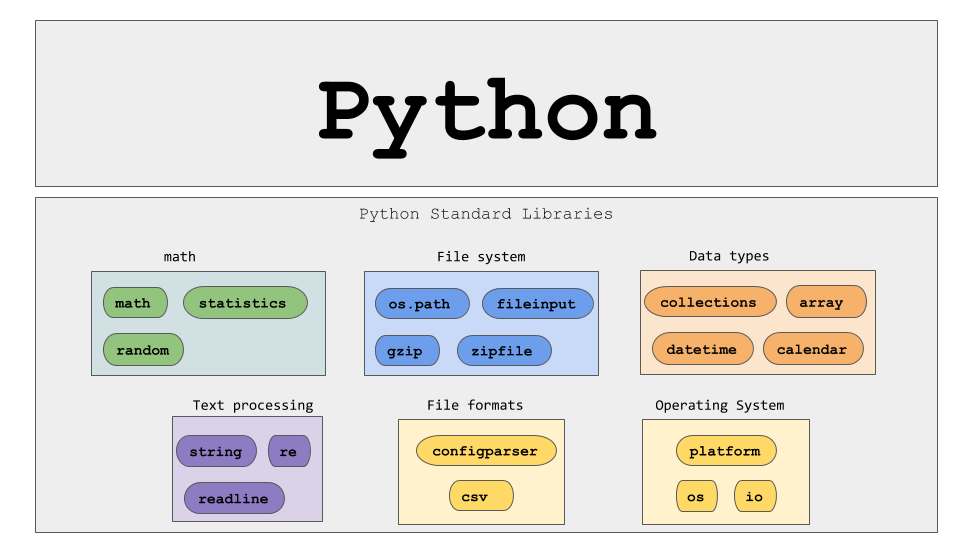
Top 10 Python Libraries For Data Scientists
Python is like the king of programming languages, especially in data science and machine learning. It’s popular because it’s easy to learn …
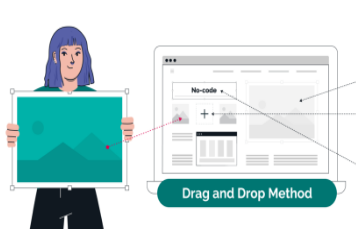
No Code, No Problem: Top 8 No-Code Platforms For Building Apps
No-code platforms are changing the game when it comes to building applications – it’s easier than ever. Now, you can whip up …