
- #1 Rated Data Analytics Online Course
Data Analytics Bootcamp
Learn the tools, build the skills, and launch your data career.
In just three months, master Excel, Power BI, SQL, Python, Machine Learning, and Automation—and get job-ready for opportunities in data analytics, both locally and globally.
- Online
- 3 Month
- 13th April
- 7:00 PM - 9:00 PM (Monday, Tuesday, & Thursday)
- Friday (Professional Development or TA Session)
- Fee: PKR 20,000 | Monthly
- Fee: PKR 50,000 | Lumpsum
- Eligibility criteria
- Beginner-Friendly
- No prior experience in Data Analytics is required.
- Currently enrolled in or have graduated with a Bachelor’s degree in any subject.









This three-month-long Data Analytics & Machine Learning Bootcamp is designed to equip you with essential Data Analytics skills. It will guide you through Excel, Power BI, SQL, Python, and introductory Machine Learning, which are the core tools and techniques used in modern data roles.
We ensure you are not just job-ready, but also able to kickstart your international career in Data Analytics and Machine Learning. Join us on this journey and become future-ready in data analysis.
- Master tools like Excel, Power BI, SQL, Python & Machine Learning
- Become job-ready with hands-on data projects
- Kickstart your global career in Data Analytics & Machine Learning
- What You’ll Achieve in 90 Days
Course Curriculum
Masterclass: Business Intelligence using Excel
- Understanding Excel’s role in Business Intelligence
- Data Entry, Formatting, and Organization
- Essential Formulas and Functions (SUM, AVERAGE, IF, COUNTIF, etc.)
- Sorting, Filtering, and Conditional Formatting
- Data Validation and Error Checking
- Introduction to Microsoft 365 Copilot for automating Excel tasks
Data Literacy and Statistical Concepts
- Understanding Data Types and Structures
- Descriptive Statistics: Mean, Median, Mode, Variance, Standard Deviation
- Data Relationships, Unique Keys, and Identifiers
- Statistical Inference and Sampling Techniques
- Regression Analysis Basics
Data Cleaning, Preparation, and Transformation
- Common Data Cleaning Techniques
- Excel Functions for Data Cleaning (LEFT, RIGHT, CONCATENATE, TRIM, etc.)
- Handling Missing or Duplicate Data
- Data Extraction from External Sources (CSV, Web, Databases)
- Using Power Query for Data Transformation
Data Modeling and Management
- Power Pivot for Handling Large Datasets
- Creating Data Models and Relationships
- Understanding Measures, Calculated Fields, and DAX Basics
- Merging and Appending Tables in Power Query
- Managing Data Refresh and Dependencies
Data Analysis with Advanced Excel
- IF, Nested IF, INDEX, MATCH, XLOOKUP
- Scenario and What-If Analysis
- Dynamic Arrays and Lookup Enhancements
- PivotTables for Summarization
- Interactive Pivot Charts and Slicers
Storytelling with Data
- Turning Data into Insights: Framing a Narrative
- Designing Charts that Tell a Story
- Choosing the Right Visualization for the Message
- Excel Dashboards for Decision-Making
- Using Copilot to Summarize and Explain Insights Automatically
Data Visualization and Communication
- Principles of Effective Data Communication
- Chart Types and Their Best Use Cases (Bar, Line, Scatter, Pie, etc.)
- Data Visualization Add-ins and Plugins
- Integrating AI Tools (Excel Copilot) for Automated Insights and Reports
- Presenting Reports and Dashboards Effectively
Masterclass: Microsoft 365 Copilot for Organizational Efficiency
- Overview of Copilot in Microsoft 365 (Excel, PowerPoint, Word)
- Automating Data Summaries and Reports
- Generating Insights and Recommendations using Copilot
- Streamlining Collaboration and Communication in Teams
- Practical Case Study: Enhancing Productivity through AI
Hands-on Mini Project
- Build a Business Intelligence Dashboard in Excel using Power Query and Power Pivot
- Integrate Copilot to generate insights and summaries automatically
- Present a final BI report demonstrating data-driven decision-making
Introduction to PowerBI/ Connecting & Shaping Data
- Download and install Power BI Desktop, and adjust the settings.
- Understand the role that Power BI plays within the broader Microsoft ecosystem
- Explore core components of the Power BI Desktop interface
Review the business intelligence workflow.
- Explore Power BI’s query editor and understand the role that Power Query plays in the larger BI workflow
- Introduce different types of connectors and connectivity modes available for getting data into Power BI
- Review tools for checking data quality and key profiling metrics like column distribution, empty values, errors, and outliers
- Transform tables using text, numerical and date/time tools, pivot and group records, and create new conditional columns
- Practice combining, modifying, and refreshing queries
Data Modeling
- Understand the basic principles of data modeling, including normalization, fact & dimension tables, and common schemas
- Create table relationships using primary and foreign keys, and discuss different types of relationship cardinality
- Configure report filters and trace filter context as it flows between related tables in the model
- Explore data modeling options like hierarchies, data categories, and hidden fields
DAX
- Introduce DAX fundamentals and learn when to use calculated columns and measures
- Understand the difference between row context and filter context, and how they impact DAX calculations
- Learn DAX formula syntax, basic operators and common function categories (math, logical, text, date/time, filter, etc.)
- Explore nested functions, and more complex topics like iterators and time intelligence patterns
Data Visualization
- Review frameworks and best practices for visualizing data and designing effective reports and dashboards
- Explore tools and techniques for inserting, formatting and filtering visuals in the Power BI Report view
- Add interactivity using tools like bookmarks, slicer panels, parameters, tooltips, and report navigation
- Learn how to configure row-level security with user roles
- Optimize reports for mobile viewing using custom layouts
Installing SQL Workbench
Introduction to SQL
- Overview of Database Management Systems(DBMS)
- Basic SQL syntax and structure
- Flow of SQL commands
- Data Types in SQL
- Running SQL commands using SELECT statement
- Retrieving data from tables
Filtering, Sorting, and Aggregating Data
- Using WHERE clause to filter data based on conditions
- Sorting query results using ORDER BY clause
- Limiting the number of results with LIMIT clause
- Using aggregate functions for summary statistics
- Grouping query results using GROUP BY clause
- Filtering grouped data with HAVING clause
Table Joins and Case Statements
- Case statements
- Understanding relationships between tables
- Using joins to combine data from multiple tables
Advanced Query Techniques
- Further practice with different types of joins
- Working with subqueries
- Working with derived tables
- Common table expressions (CTEs)
Window Functions and Data Modification
- Working with window functions
- Ranking data using RANK and DENSE_RANK
- Modifying data in tables using ALTER, RENAME, INSERT, UPDATE, DELETE
- Using UNION, INTERSECT, and EXCEPT to combine query results
Creating New Tables
- Further practice with window functions
- Creating new tables
- Inserting values into new tables
- Modifying and updating new tables
Advanced Topics and Artificial Intelligence
- Working with Primary Keys
- Auto-Increments
- Updating Tables
- Indexing
- Using AI in SQL programming
Date Variables and Artificial Intelligence
- Dealing with date variables in SQL data
- Setting variables in SQL
- Using AI in SQL programming
- Wrapping up
Introduction to AI for Analytics
Role of AI in modern data teams
When to use AI and when not to
Human-in-the-loop decision making
Prompt Engineering for Data Analysts
Writing structured prompts for analytics
Context-setting, constraints, examples, and task breakdown
Creating reusable prompt templates (for SQL, EDA, reporting)
Tools Used:
ChatGPT, Gemini: Prompt experimentation, template creation
Julius AI: Prompts specifically designed for data tasks (SQL/EDA)
AI for Data Cleaning, Transformation & EDA
Asking AI to propose cleaning steps
Using AI to spot patterns, anomalies, correlations
Drafting initial EDA summaries using AI
Tools Used: Microsoft Copilot for Excel → cleaning suggestions directly in Excel
3. AI for Dashboarding & Visualization
Using AI to suggest KPIs, visuals, layouts
AI for DAX explanations and Power BI insights
Converting messy business questions into dashboard requirements
Microsoft Copilot in Power BI → AI-generated visual summaries & insights
AI for Insights & Business Storytelling
Using AI to summarize datasets
Drafting analytical emails, reports & executive summaries
Creating data stories that non-technical stakeholders can understand
Microsoft Copilot for PowerPoint: Convert insights into slides
Responsible Use of AI in Analytics
Privacy, security & data protection fundamentals
Avoiding hallucinations
Cross-checking insights with SQL, Excel & Power BI
Ensuring transparency in AI-assisted workflows
Installation
- Introduction to the Python programming language and its applications
- Setting up the Python environment: installation of Python and necessary libraries
- Configuring the development environment: IDEs, text editors, and Jupyter Notebook
- Retrieving data from tables
Python Basics
- Introduction to Python: history, features, and advantages
- Expressions and operators: arithmetic, assignment, comparison, and logical
- Understanding type() function and type inference
- Introduction to data structures: lists, tuples, and dictionaries
Python Basics
- Recap of Python basics
- Working with arithmetic operators: addition, subtraction, multiplication, division, modulus, and exponentiation
- Using comparison operators: equal to, not equal to, greater than, less than, etc.
- Logical operators: and, or, and not
- Exploring advanced data types: sets and strings manipulation.
Expressions, Conditional Statements & For Loop
- Evaluating expressions: operator precedence and associativity
- Introduction to conditional statements: if, elif, and else
- Executing code based on conditionals.
- Understanding the flow of control in conditional statements
- Iteration using the for loop: range(), iteration over lists, and strings.
While loop, Break and Continue Statements, and Nested Loops
- Working with while loop: syntax, conditions, and examples
- Combining loops and conditionals
- Using the break statement to exit loops prematurely.
- Utilizing the continue statement to skip iterations.
- Implementing nested loops for complex iterations
Functions
- Introduction to functions: purpose, advantages, and best practices
- Defining and calling user-defined functions
- Parameters and arguments: positional, keyword, and default values
- Return statement and function output.
- Variable scope and lifetime
- Function documentation and code readability
Exception Handling and File Handling
- Understanding exceptions: errors, exceptions, and exception hierarchy
- Handling exceptions using try-except blocks: handling specific exceptions, multiple exceptions, and else and finally clauses.
- Raising exceptions and creating custom exception classes
- File handling in Python: opening, reading, writing, and closing files.
- Working with different file modes and file objects
Python Modules: NumPy and Matplotlib
- Introduction to the NumPy module: features and applications
- Working with multidimensional arrays: creation, indexing, slicing, and reshaping
- Performing element-wise operations: arithmetic, logical, and statistical
- Overview of the Matplotlib module: data visualization and plotting
- Customizing plots: line properties, markers, colors, labels, and legends.
Introduction and Missing Value Analysis
- Introduction to Exploratory Data Analysis (EDA)
- Importance of EDA in data analysis
- Steps involved in EDA
- Handling missing values: identification, analysis, and treatment strategies • Imputation techniques for missing values
Data Consistency, Binning, and Outlier Analysis
- Data consistency checks using fuzzy logic
- Binning and discretization techniques for continuous variables
- Outlier detection and analysis methods
- Handling outliers: techniques for treatment or removal
Feature Selection and Data Wrangling
- Importance of feature selection in EDA
- Feature selection techniques: filter methods, wrapper methods, and embedded methods
- Data wrangling: cleaning and transforming data for analysis
- Handling categorical variables: encoding techniques.
Inference, Hypothesis Testing, and Visualization
- Inference and hypothesis testing in EDA
- Common statistical tests: t-test, chi-square test, ANOVA, etc.
- Visualization techniques for EDA: histograms, box plots, scatter plots, etc.
- Hands-on practical session for complete EDA using a dataset
Overview of Machine Learning
- Supervised, unsupervised, and reinforcement learning.
- Machine learning workflow from data collection to model deployment.
- Introduction to Python libraries essential for ML (Scikit-learn, TensorFlow, PyTorch)
Supervised learning and Linear Regression
- Linear Regression: Concept, loss function, evaluation metrics (MSE, R²)
- Building a Linear Regression model in scikit-learn
- Visualizing predictions vs actuals
Logistic Regression and Tree-Based Models
- Logistic Regression: Theory, Interpretation, and Applications in Classification Problems
- Decision Trees: Construction, Pruning, and Model Interpretability
- Random Forests: Ensemble Learning, Feature Importance, and Performance Improvement
- Bagging and Boosting: Techniques for Reducing Overfitting and Enhancing Accuracy
- Hands-on Practical Session: Building and Evaluating a Classification Model
Clustering with K-Means
- Introduction to Unsupervised Learning and Clustering Concepts
- Understanding K-Means Clustering Algorithm
- Steps for Implementing K-Means in Scikit-learn
- Evaluating Cluster Quality using Silhouette Score and Davies–Bouldin Index
- Hands-on Activity: Performing Customer Segmentation using K-Means
Regression and Evaluation of Regression Methods
- Introduction to regression analysis
- Linear regression: assumptions, interpretation, and model evaluation • Evaluation metrics for regression: mean squared error, R-squared, etc.
- Other regression methods: polynomial regression, ridge regression, lasso regression
Introduction to No-Code Automation
What is no-code automation?
How analysts use Make & Power Automate
Manual vs automated workflows
Tools Used:
Make → workflow automation, multi-app integration
Power Automate → Microsoft ecosystem automation (Excel, SharePoint, Power BI, Teams)
Make for Data Automation
Creating automated workflows (“scenarios”)
Triggers, actions, routers & scheduling
Connecting apps: Sheets, Excel Online, Databases, CRMs, APIs
Automating repetitive analysis tasks
Tools Used:
Make → main no-code tool for multi-system automations
Webhooks & APIs → for pulling external data
Google Sheets / Excel Online → store & update automated outputs
Power Automate for Business Workflows
Using Power Automate inside the Microsoft ecosystem
Connecting Power BI, Excel, Teams, SharePoint & Outlook
Refreshing datasets automatically
Automated approvals & stakeholder communication
Tools Used:Power Automate → core automation builder
SharePoint & OneDrive → automated storage
Teams / Outlook → auto-notifications, alerts & report sharing
Foundations of Statistics
- Why statistics matter for data analytics
- Types of data (numerical, categorical, time-based)
- Descriptive vs inferential statistics
Descriptive Statistics
- Measures of central tendency: mean, median, mode
- Measures of spread: range, variance, standard deviation, IQR
- Measures of central tendency: mean, median, mode
- Understanding distribution shape: skewness, outliers
Probability & Distributions
- Basic probability concepts
- Real-world interpretation of probability (risk, likelihood)
- Common distributions used in analytics (normal, binomial, Poisson – concept level)
Correlation & Relationships
- Correlation and covariance
- Correlation vs causation
- Reading and interpreting correlation patterns
Hypothesis Testing
- Null and alternative hypotheses
- p-values and statistical significance
- Common tests (at a practical level): t-test, chi-square
- Null and alternative hypotheses
- How to decide “Is this difference real or just random?”
Confidence Intervals & Uncertainty
- What confidence intervals mean (in simple language)
- What confidence intervals mean (in simple language)
- Margin of error and uncertainty in estimates
Basics of Regression (Analytics Perspective)
- Simple linear regression: line of best fit
- Coefficients, intercept, R² – what they tell you
- Simple linear regression: line of best fit
- Using regression to understand impact of one variable on another
A/B Testing & Experiment Thinking
- Control vs treatment groups
- Designing simple experiments
- Control vs treatment groups
- Evaluating uplift and significance in A/B results
Email Writing
- Basics of Professional Email Communication: Structure, tone, and etiquette.
- Writing Effective Subject Lines: Techniques to ensure your emails are opened.
- Emails for Networking: Approaching professionals and mentors in data science/AI.
- Follow-up Emails: Strategies for following up without being intrusive.
Report Writing + Presentations
- Structure of a Data Science Report: Elements including abstract, methodology, results, and conclusion.
- Visualizing Data: Incorporating charts, graphs, and other visual tools to enhance comprehension.
- Creating Engaging Presentations: Tips for PowerPoint, storytelling, and engaging your audience.
- Presentation Skills: Delivering your message confidently, handling Q&A sessions.
LinkedIn Optimization
- Building a Professional Profile: Key components of a LinkedIn profile for data science/AI professionals.
- Networking Strategies: Connecting with industry professionals and joining relevant groups.
- Content Sharing and Creation: Establishing thought leadership by sharing insights, articles, and engaging with community content.
Resume/CV Writing
- Tailoring Your Resume for Data Science/AI: Highlighting relevant skills, projects, and experiences.
- Action Verbs and Quantifiable Achievements: Demonstrating impact in previous roles or projects.
- Design and Layout: Making your resume/CV visually appealing and easy to read.
Cover Letter
- Structure of a Cover Letter: Introduction, body, and closing.
- Customizing Your Message: Researching the company and role to personalize content.
- Highlighting Fit and Value: Articulating how your skills and experiences align with the job requirements.
Freelancing
- Getting Started with Freelancing: Platforms for data science/AI freelancers, setting up a profile.
- Finding Projects and Clients: Strategies to secure freelance work and build a portfolio.
- Pricing Your Services: Understanding market rates and value-based pricing.
- Client Management: Communicating effectively and managing expectations.
Kaggle for Data Science
- Introduction to Kaggle: Overview of the platform, competitions, datasets, and notebooks.
- Participating in Competitions: Tips for success, collaboration, and learning from the community.
- Building a Portfolio: Using Kaggle to showcase your skills and projects to potential employers.
GitHub
- Why GitHub for Data Scientists: Importance of version control and code sharing.
- Creating and Managing Repositories: Best practices for organizing and documenting projects.
- Collaborating on Projects: Contributing to open-source projects and collaborating with others.
- GitHub as a Portfolio: Presenting your work and contributions to potential employers.
How to Crack Data Analysis Interviews
- Understanding the Interview Process: Types of interviews (technical, behavioral, case studies).
- Preparing for Technical Interviews: Common questions, coding challenges, and statistical questions.
- Behavioral Interview Preparation: Crafting your story, STAR method for responses.
- Mock Interviews: Practicing with peers or mentors to gain confidence.
Global Market Understanding
- Data Science/AI Trends: Understanding global trends and emerging technologies.
- Cultural Competence: Working in multicultural teams and serving diverse user bases.
- Regulatory Environment: Overview of data privacy laws and ethical considerations in different regions.
Storytelling Using Data
- Principles of Data Storytelling: Crafting narratives that resonate with your audience.
- Visual Narrative Techniques: Using data visualizations effectively in your story.
- Engaging Presentations: Combining data, visuals, and narrative for impactful presentations.
Intro to Data Commons
- Understanding Data Commons: Concept, importance, and examples.
- Accessing and Contributing to Data Commons: Guidelines and best practices.
- We help graduates find jobs, internships, and freelance opportunities.
Complete our Bootcamp and Become Job Ready




- Graduate ready to make an impact.
What’s Inside
Industry Ready Portfolio
Craft a portfolio that showcases your industry-ready data analytics projects.
1-on-1 Coaching & Mentorship
Receive individualized mentorship to navigate your way through your analyst career.
Speaker Sessions
Regular speaker series with industry professionals and hiring managers
- Your Roadmap to Data Analytics Career Success
Career Opportunities After Data Analytics Bootcamp
- Data Analyst
- Junior Python Data Analyst
- Business Intelligence (BI) Analyst
- SQL Analyst
- Reporting Analyst
- Power BI / Excel Dashboard Developer
- Data Analytics Consultant
- PowerBI Consultant
- BI Consultant
- Data Skills that get you hired.
What You'll Learn
Excel for Business Intelligence
Microsoft Copilot for Data Analytics
AI for Data Analytics workflows
Power BI Dashboarding & Reporting
Data Visualization & Dashboards (Excel & Power BI)
Data Cleaning & Preparation
Statistics for Data Analytics
No-Code Analytics Tools
SQL for Data Querying & Database Management
Data Transformation &
Power Query
Data Modeling (Power Pivot / BI)
Python for Data Analysis
Exploratory Data Analysis (EDA)
FastAPI & API
Development
Applied Analytical Storytelling & Insights
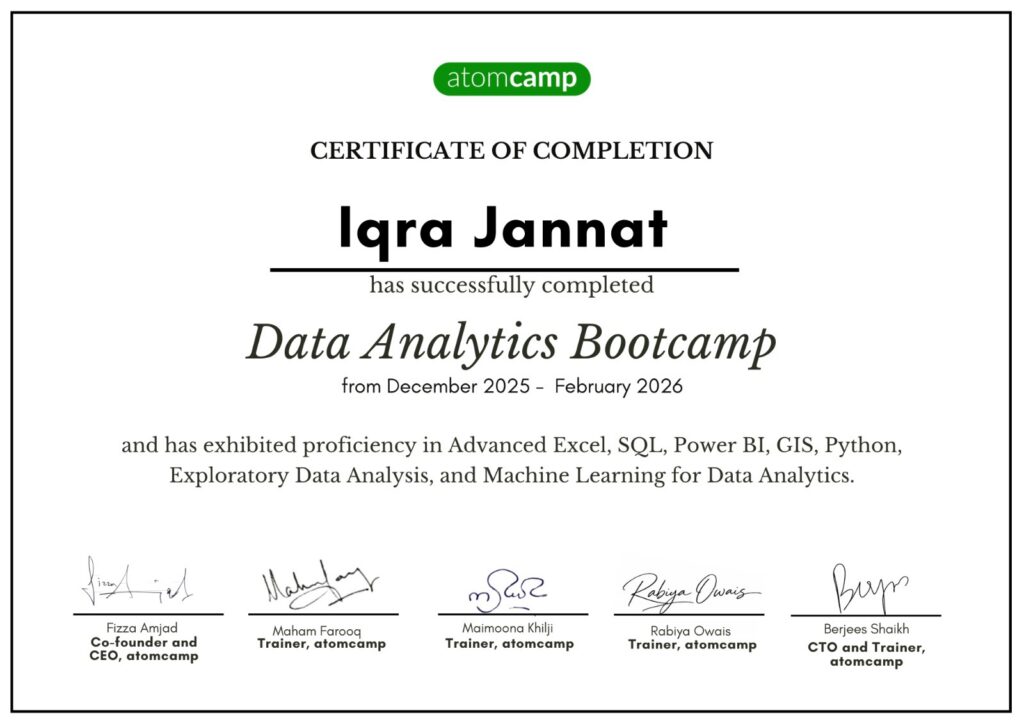
- Get a verified certificate to prove your skills.
Earn a Verified Certificate of Completion
Earn a data analytics certificate, verifying your skills. Step into the market with a proven and trusted skillset.
- Data, Product, or BI Analyst—choose your path.
Potential Job Route
Data Analyst
The most direct route, involving tasks such as collecting, processing, and performing statistical analyses on large datasets. Data analysts help organizations make informed business decisions by identifying trends, patterns, and insights.

BI Analyst
Business Intelligence Analysts use data to help companies make better business decisions. They work with data visualization tools like Power BI or Tableau to create dashboards and reports that provide actionable insights.

Product Analyst
Product analysts focus on product performance, user behavior, and market trends. They help product teams make data-driven decisions to improve product development and marketing strategies.

Master Data Analytics & Transform Your Future.
Learn real-world skills, get certified, and join a growing community that’s shaping the data-driven world.
5,000+
Students Enrolled
10,000+
Successful Graduates
5,000+
Certificates Issued
80%
Job Placement
Great decisions aren’t based on guesses—they’re built on good data.
Unlock opportunities, boost your career, and make decisions that matter with the power of data.
We Train People From








Pricing Plan
Pick a plan that fits your needs and budget.
Standard Monthly
PKR 20,000
Lumpsum
PKR 50,000






- Frequently Asked by Learners
Frequently Asked Questions
Classes run three days a week, ensuring an immersive and engaging learning experience.
Our bootcamp explores data analytics technologies, covering Excel, Power BI, SQL, and Python, which is the main programming language used for data analysis.
Absolutely! Active participation is crucial, with 80% attendance required for certification.
Yes, participants dive into hands-on assignments, reinforcing learning and practical application.
We recommend investing 2 extra hours daily to dive into materials, ace assignments, and truly embrace the learning journey.
Our bootcamp features live training sessions, providing real-time interaction with instructors and peers.
Fulfill attendance, engage actively, complete assignments, and demonstrate proficiency in the taught skills.
Regular attendance is encouraged, but we understand life happens. Communicate any issues, and we'll support your journey.
Yes, we host Teaching Assistant (TA) sessions for reviewing material, clarifying concepts, and addressing queries.
This series focuses on soft skills, industry awareness, and career readiness, ensuring you're well-equipped for success in data science.
- Just fill out the form to begin.